StoryForge
A downloadable tool
StoryForge: Quest and Dialogue Editor [Version 0.1]
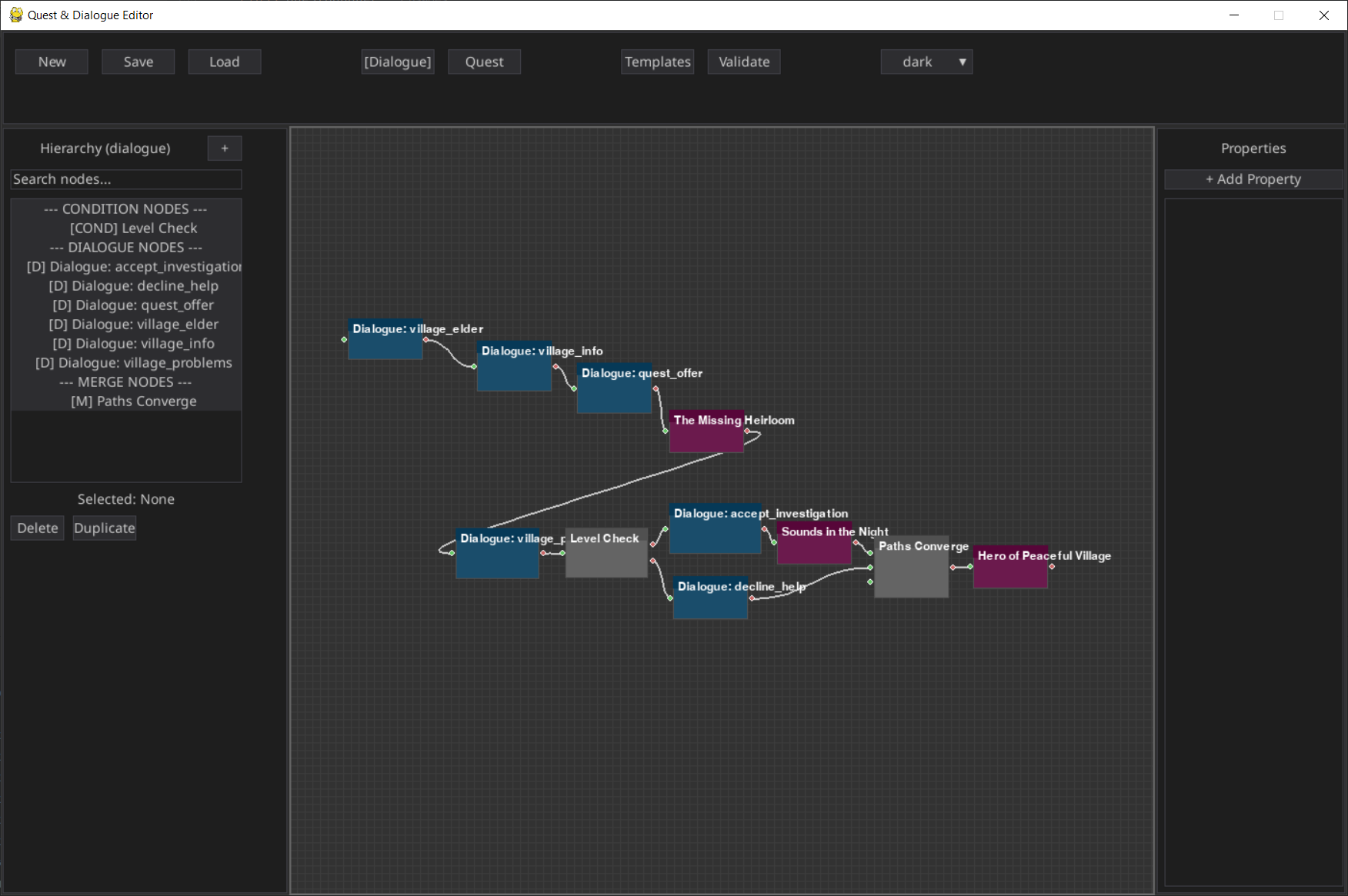
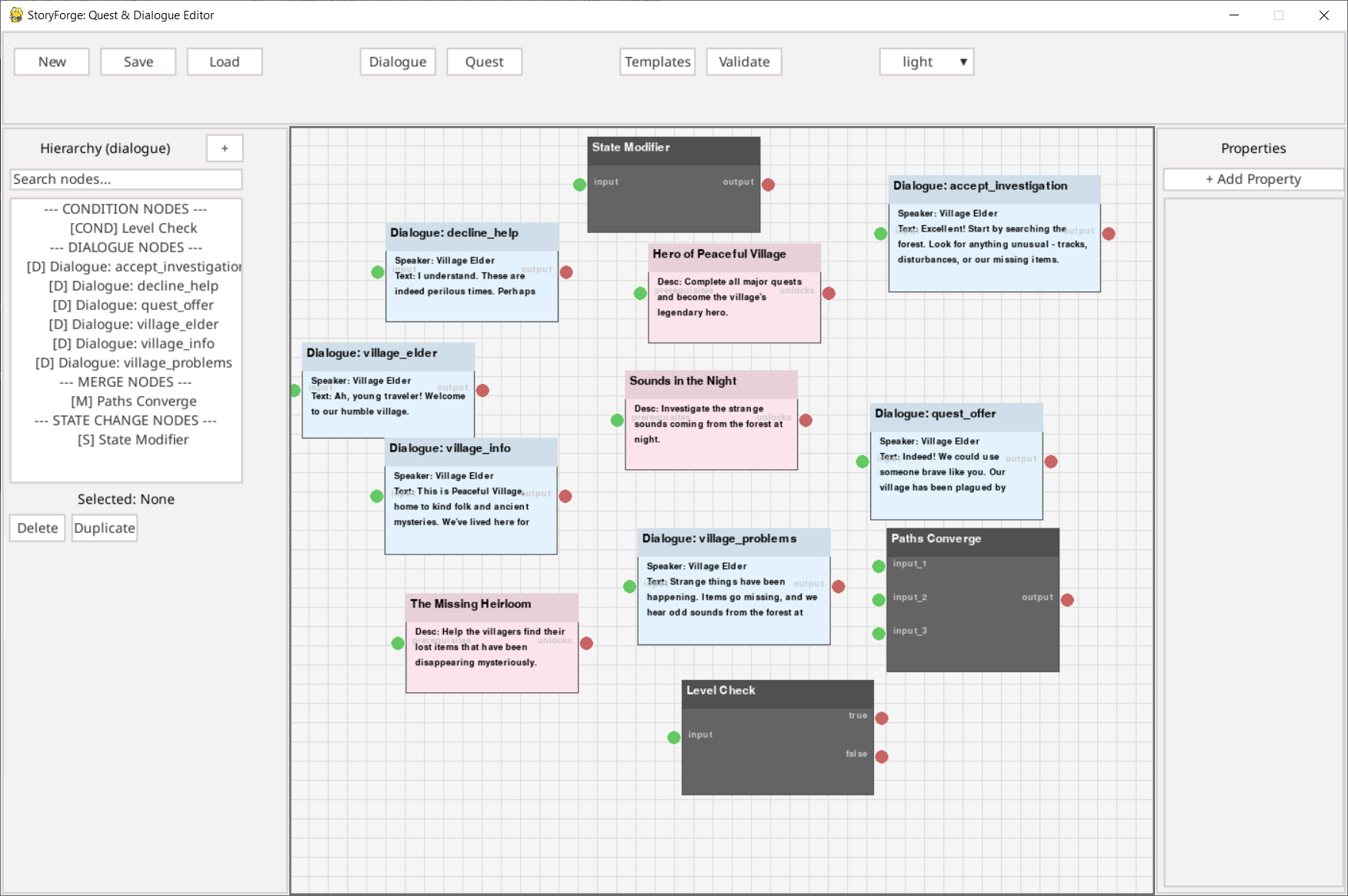
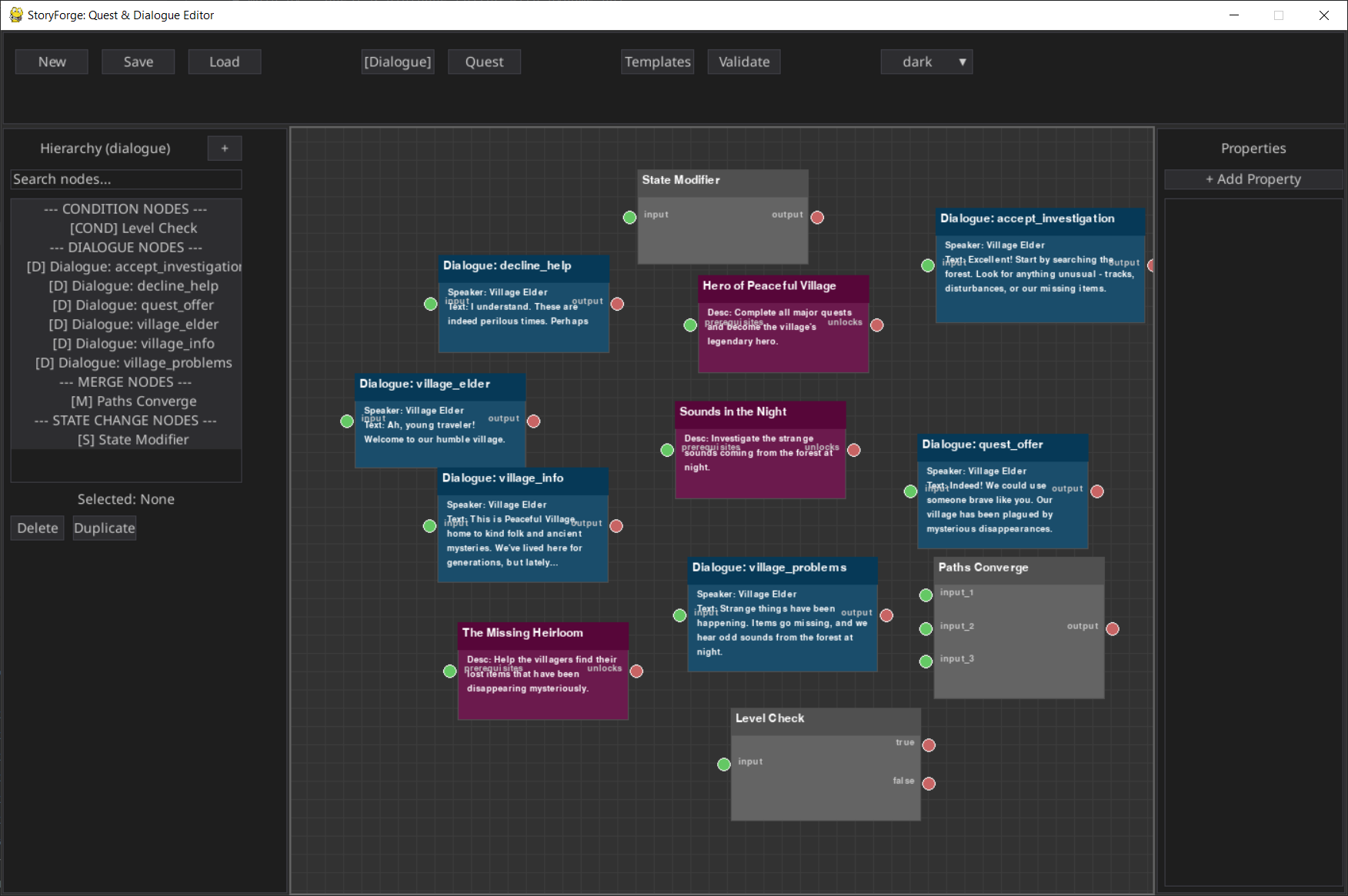
A visual node-based editor for creating interactive dialogue systems and quest structures for games.
[https://github.com/SaxonRah/StoryForge] For the most updated version/code.
Built with Python, PyGame, and PyGame GUI.
Features
Visual Node-Based Editing
- - Drag-and-drop interface for creating dialogue and quest flows
- - Real-time visual connections between nodes
- - Zoom and pan functionality for large projects
- - Grid-based layout with snap functionality
Dialogue System
- - Multiple Node Types: Standard dialogue, player choices, conditional branches, hub dialogues
- - Advanced Features: Speaker assignments, conditional text, reputation-based responses
- - State Management: Track conversation state, once-only dialogues, dynamic content
Quest System
- - Quest Types: Main quests, side quests, daily quests, quest chains
- - Objective Management: Dependencies, optional objectives, progress tracking
- - Advanced Features: Time limits, branching paths, failure conditions, auto-completion
Productivity Tools
- - Templates: Pre-built patterns for common dialogue and quest scenarios
- - Validation: Comprehensive project validation with auto-fix suggestions
- - Themes: Dark and light theme support with customizable colors
- - Import/Export: JSON-based project files for easy integration
User Interface
- - Three-Panel Layout: Hierarchy browser, visual editor, properties panel
- - Smart Property Editing: Context-sensitive property editors
- - Search & Filter: Quick node discovery and organization
- - Real-time Updates: Changes reflect immediately across all panels
Installation
Prerequisites
- Python 3.7 or higher
- PyGame-CE
- PyGame-GUI
Dependencies
- pip install pygame-ce pygame-gui
- Clone and Run
- git clone https://github.com/SaxonRah/StoryForge.git
- cd StoryForge
- python main.py
Quick Start
Launch the Editor
- python main.py
Choose Your Mode
- - Click "Dialogue" for conversation flows
- - Click "Quest" for quest and objective management
Create Nodes
- - Right-click in the viewport to create new nodes
- - Use the "+" button in the hierarchy panel
- - Browse templates for common patterns
Connect Nodes
- - Click and drag between node ports to create connections
- - Different port types ensure valid connections
Edit Properties
- - Select any node to edit its properties in the right panel
- - Add custom properties as needed
Save Your Work
- - Use File -> Save to save your project
- - Projects are saved as JSON files for easy version control
Usage Examples
Creating a Simple Dialogue
- Switch to Dialogue mode
- Create a "Start" node and add your opening text
- Add a "Choice" node for player responses
- Connect the nodes using the port system
- Set up branching paths based on player choices
Building a Quest Chain
- Switch to Quest mode
- Create quest nodes with objectives
- Use prerequisite connections to create dependencies
- Add conditional branches for different outcomes
- Validate your quest flow using the validation tool
Using Templates
- Click the "Templates" button in the toolbar
- Browse categories (Dialogue, Quest, Flow Control)
- Select a template that matches your needs
- Customize the generated nodes for your specific use case
Advanced Features
Conditional Logic
- - Conditions: Python-like expressions for complex logic
- - Resource Gates: Require specific resources or stats
- - Reputation System: Dialogue changes based on player standing
- - Time-Based: Content available only at certain times
State Management
- - Flags: Track story progress and player choices
- - Resources: Manage gold, experience, items, etc.
- - Progress Tracking: Quantified objectives with progress bars
Validation System
- - Circular Dependency Detection: Prevents infinite loops
- - Unreachable Node Detection: Ensures all content is accessible
- - Missing Connection Validation: Identifies broken flows
- - Auto-Fix Suggestions: Automated solutions for common issues
File Format
Projects are saved as JSON files with separate files for:
- - dialogues.json - All dialogue nodes and conversations
- - quests.json - Quest definitions and objectives
- - connections.json - Node connections and relationships
This format allows for:
- - Easy version control integration
- - Simple data parsing in game engines
- - Human-readable project files
- - Collaborative development
Customization
Themes
Create custom themes by modifying JSON files in the themes/ directory:
- - editor_theme.json - UI colors and styling
- - node_theme.json - Node-specific visual properties
Templates
Add custom templates by extending the template definitions in dialogs.py:
'custom_category': [
    {
        'id': 'my_template',
        'name': 'My Custom Template',
        'description': 'Description of what this template does.'
    }
]
In the future we will be able to add templates via JSON files.
Contributing
- Fork the github repository
- Create a feature branch (git checkout -b feature/amazing-feature)
- Commit your changes (git commit -m 'Add amazing feature')
- Push to the branch (git push origin feature/amazing-feature)
- Open a Pull Request
License
This project is licensed under the MIT License - see the LICENSE file for details.
Acknowledgments
- - Built with [PyGame](https://www.pygame.org/) for rendering
- - UI powered by [PyGame GUI](https://pygame-gui.readthedocs.io/)
- - Inspired by node-based editors like Blender's node system and Unreal Engine's Blueprint system
Support
If you encounter any issues or have questions:
- Check https://github.com/SaxonRah/StoryForge/issues for issues.
- Create a new issue with detailed information
- Include your Python version, pygame-ce version, pygame-gui version and operating system.
Download
Click download now to get access to the following files: